[Pricing] Is Picsart Pro Worth It? Where 'Unlimited' Stops and Credits Start
- Free tier: Yes
- Cheapest paid plan: US$15/mo and up
- Free quota: Basic image and video editing features, social media templates, and …
- Last checked: 2026-11-19
Article last updated: 2026-11-15



Picsart sells itself as one app for photo editing, video editing and AI generation. It says it bundles 200+ generative AI models plus a set of “agents”, small AI helpers that run multi-step jobs for you. The pricing page has two paid plans and a free one. The question isn’t which plan is biggest. It’s which plan matches how you work.
My angle: the word “unlimited” on the Pro plan covers one specific image model. Everything else runs on credits, which are points you spend each time the AI generates something. Whether Pro is worth it depends on how much of your work happens inside that one model.
Prices vary by country, and we checked from Taiwan.
What the free plan gives you
The free plan includes basic photo and video editing and community templates. It also gives you 5 AI credits per week to try the generative tools.
That is a taste, not a workflow. Some advanced generation features and commercial stock assets are behind the paywall. The pricing page doesn’t give a full list of which features are locked, so check the specific tool you need before you plan a project around the free plan.
Free works well for three kinds of people:
- You crop, resize, retouch and add text to images.
- You use templates for social posts.
- You want to test whether Picsart’s AI tools suit you before paying.
Free stops working when AI generation becomes the main task. A weekly allowance of 5 credits is a trial, and the plan is built to read that way.
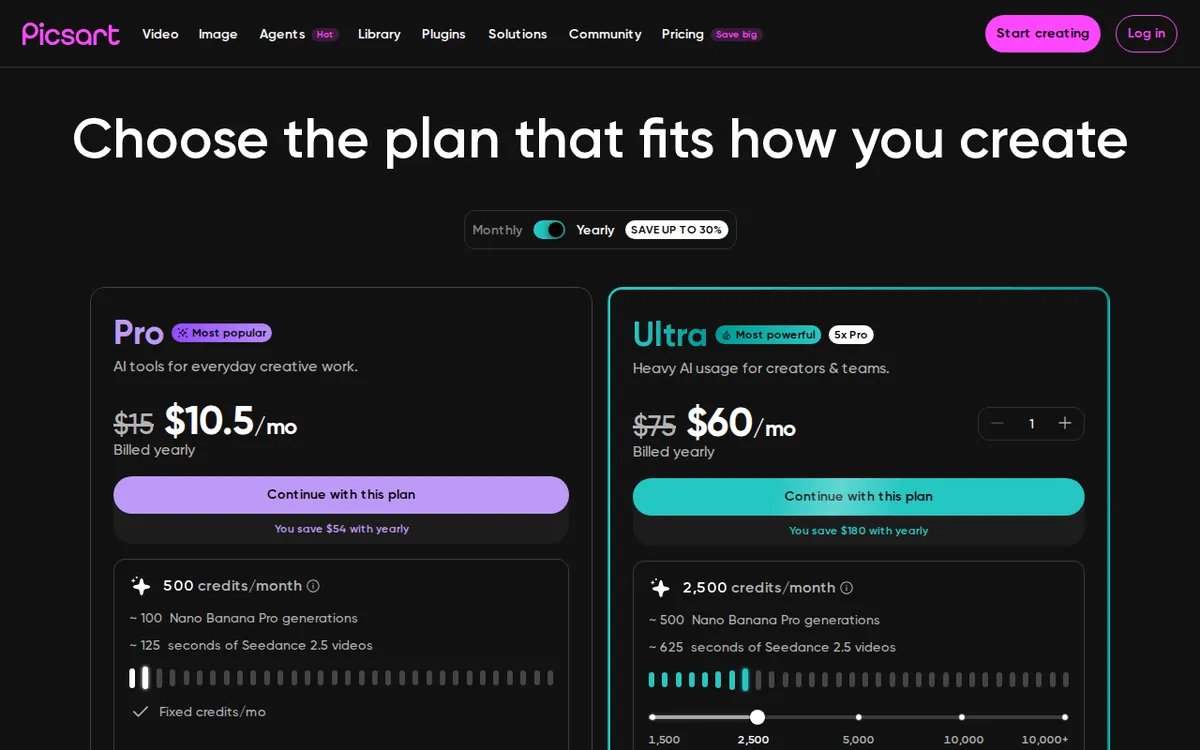
Figure: picsart.com official pricing page, captured 2026-11-15.
Pro: the plan most people will weigh
Pro costs US$15 per month on monthly billing. Annual billing works out to US$10.50 per month. The data has no single yearly price, only that monthly average, so I won’t give you a yearly total.
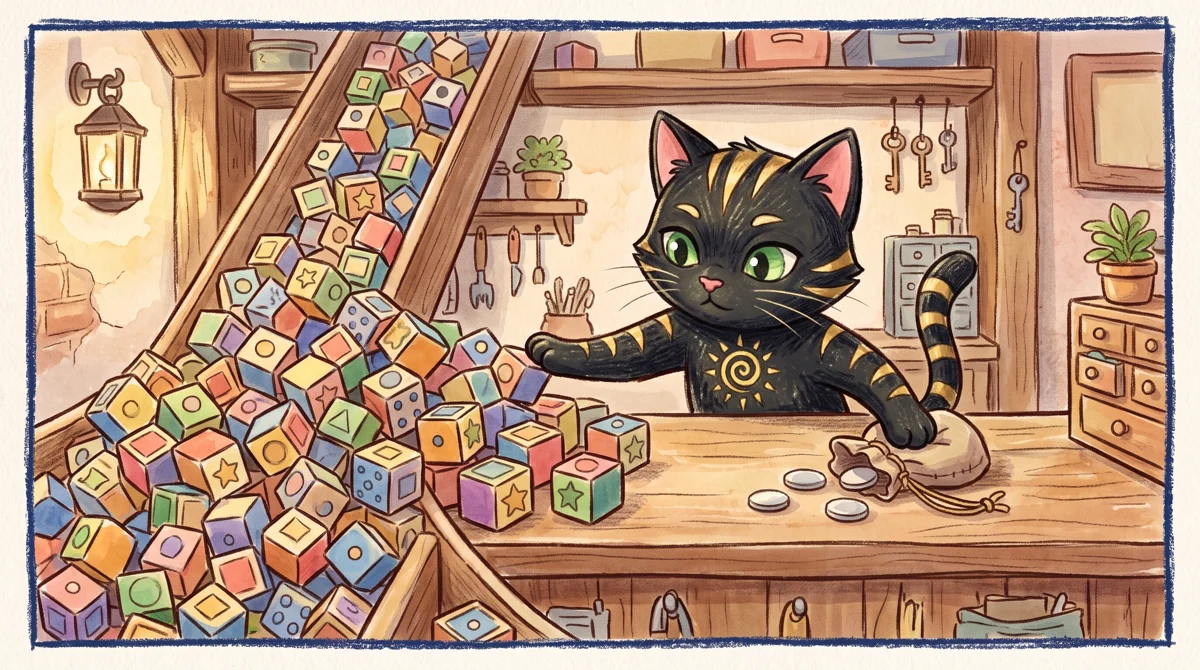
Illustration: Unlimited generation applies only to the named model, while other features draw from a fixed quota.
Here is what Pro includes:
- 250 AI credits each month
- All photo and video editing features unlocked
- Smart background removal and object removal
- “Unlimited” image generation with the Flex.2 Klein model
- 15+ creative AI agents
- Connections to Claude Code, Cursor and ChatGPT through MCP (a standard way for AI apps to plug into other tools)
- 100 GB of cloud storage
Read the Flex.2 Klein line again. Only that model is listed as unlimited. The plan does not say unlimited generation across all models. If you want the premium video or image models, those are what the 250 credits are for.
So Pro makes sense if two things are true. You want the full editor, with background removal and object removal that can handle real work. And you’re happy with Flex.2 Klein for generating images, or you only need a modest number of credit-based generations each month.
The monthly-versus-annual gap is the cheapest upgrade lever. Monthly billing at US$15 lets you test Pro for a month and cancel. Annual billing at US$10.50 per month only pays off if you’re confident you’ll keep using it.
Ultra: for people who want the model catalogue
Ultra costs US$75 per month on monthly billing. Annual billing averages US$55 per month. The default tier comes with 2,500 credits.
Here is what Ultra adds over Pro:
- Access to 200+ top AI models, including Kling 3.0, Seedance 2.5, Veo 3.1 and MiniMax H3
- Batch processing of 100 images at a time
- 300 GB of cloud storage
- The option to buy extra credits that never expire
The jump from US$15 to US$75 is steep. In return you get far more credits (2,500 against 250) and the premium video and image models.
Ultra is for people who generate video clips or large batches of images on a regular schedule. Buying credits that never expire is a useful safety valve. If you have a heavy month, you can top up without changing plans.
For everyone else, Ultra is too much. If your work is mainly editing, with a few AI generations, you’d be paying for a model catalogue you rarely open.
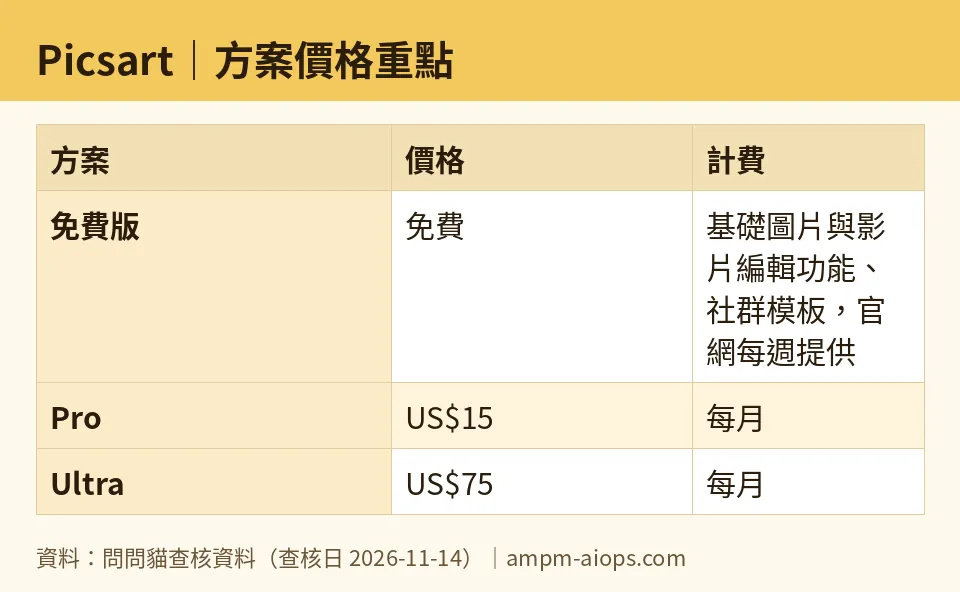
Figure: compiled by AMPM from its verified data (last verified 2026-11-14).
🔍 AMPM exclusive check
Here is what we did and didn’t verify.
Our automated checks compared the prices and credit numbers in this article against Picsart’s pricing page on 11, 12, 13 and 14 November 2026. Nothing differed from the official page; every number here matches it, checked 2026-11-14.
There are limits to that check:
- One source pass. Picsart is a newer entry in our database. Its data has been read from the official site and checked against two third-party references, but it hasn’t had a full manual cross-check by three of our editors. Treat the numbers as accurate to the page, not as independently stress-tested.
- Credit costs per feature. The pricing page says what you get in credits per month. We did not verify how many credits each individual feature spends. Without that, you can’t say how far 250 credits goes. Test a few generations in your first week before you decide.
- Commercial use terms. The free plan note says some commercial assets need payment. We did not verify the licence terms for generated images, so read them if you sell your work.
- Ultra credit tiers. The Ultra price we recorded is for the default 2,500-credit tier. The page implies other tiers exist, and we did not record their prices.
- Annual pricing. The pricing page shows annual billing as a per-month average. We have no single yearly price to quote.
☀️ AMO, the budget-minded cat

AMO’s questions: is free enough, and is paying worth it?
Is free enough? For basic editing, yes. Basic photo and video tools and the community templates cost nothing. If you make a few social posts a month, you may never need to pay. For AI generation, no. A weekly allowance of 5 credits gives you a handful of tries and not much more.
Is Pro worth it? It depends on your usage.
- At US$15 per month, Pro gives you 250 credits and unlimited Flex.2 Klein images. If you generate lots of images and that model is good enough for you, the “unlimited” label does most of the work.
- If you want premium models, 250 credits will go fast, and you can’t tell how fast without knowing per-feature costs.
- Annual billing at US$10.50 per month is cheaper per month. Only choose it after a month on the US$15 plan, so you know the editor and the model fit your work.
Is Ultra worth it? At US$75 per month (US$55 per month on annual billing), it’s five times the monthly price of Pro. The 2,500 credits and premium video models justify that only if you generate a lot. Most budget-minded people should not start here.
AMO’s path: stay on free until you hit the 5-credit wall, then try Pro monthly for one month. If you still run out of credits on Pro, price Ultra against buying extra credits. Don’t commit to annual billing until you know your own usage.
Verdict: who should use it, who should skip it
Use free if you do basic edits and template-based posts and only want to poke at the AI tools.
Use Pro if you want the full editor plus a lot of image generation with Flex.2 Klein. Start on monthly billing at US$15. Move to annual billing at US$10.50 per month once you’re sure.
Use Ultra if you generate video or large image batches often, and you want models like Kling 3.0, Seedance 2.5 and Veo 3.1 in one place. The 100-image batch tool and the never-expiring top-up credits help heavy users.
Skip paying if your AI use is occasional and the free weekly credits cover it. Skip Pro too if you plan to use premium models heavily, since 250 credits may run out and you’d end up needing Ultra anyway.
Written: 2026-11-15 Price last verified: 2026-11-14 Tool last health-checked: 2026-11-14
🔗 Related on AMPM
📎 Sources
All prices and quotas in this article come from AMPM’s verified dataset for Picsart (last verified 2026-11-14); primary sources:
🐾 Meet the cats: AMO and PIMI
AMPM is a Taiwan-based AI-tool pricing watchdog. Our motto: ask before you subscribe. Two cats argue every tool from two sides:
- ☀️ AMO — the budget-minded cat. Always asks: is the free tier enough, and is paying actually worth it?
- 🌙 PIMI — the performance-minded cat. Cares about whether it works well, fast, and gets your job done.
When they are done arguing, you know whether to pay. Every number is checked by us, with the verification date at the end.
🐾 Our sister sites also checked
Read next
- Picsart Full breakdown: pricing, features and real-world limits
- Picsart Is the free quota enough?
- Picsart Alternatives
- Free plan limits for every AI tool we track
