[Pricing] Kapwing Free Plan Limits: Which One Pushes You to Pay?
- Free tier: Yes
- Cheapest paid plan: US$24/mo and up
- Free quota: Free to use, but exported videos have a watermark, a length limit of 7 …
- Last checked: 2026-11-19
Article last updated: 2026-11-17



Kapwing’s free plan is not a stripped demo. You can edit and export real video without paying. But it stacks five limits on top of each other, and only one or two of them will hurt you. Which ones depends on what you make.
This piece goes through the free plan, both paid plans, and the cheapest way up. It also covers when you should not pay at all. Kapwing is a browser-based video editor with AI tools for auto-captions, background removal and reworking clips for social platforms. Prices vary by country; we checked from Taiwan, and the US$ figures below are the ones Kapwing lists.
What the free plan gives you
Kapwing lists the free plan as free to use, with these limits:
- Watermark. Every exported video carries one.
- Length. Videos can run up to 7 minutes. Some features cap out at 1 minute or less.
- Resolution. Exports top out at 720p. That is sharp enough for a phone screen, soft on a big one.
- AI credits. You get 10 per month. Credits are points that each AI action spends, so heavier AI tools drain them faster.
- Project storage. Projects are kept for 30 days.
The watermark is the limit most people notice first. It is also the one that decides whether free is usable at all. A watermarked clip is fine for a draft, a test or a private share. It is a problem for anything with your name or a client’s name on it.
The 7-minute cap rarely matters for short social clips. It matters if you edit talks, interviews or long tutorials. The “1 minute or less” cap on some features is the odd one out. Kapwing does not say on the pricing page which features it applies to, so a longer video may hit a wall partway through your workflow.
The 10 credits a month are a taste, not a workflow. If auto-captions or other AI tools are why you opened Kapwing, you will run through them quickly. Pro gives you 1,000 credits a month. The gap between 10 and 1,000 is the biggest jump on the whole pricing page.
The 30-day storage window is easy to miss. Treat the free plan as a place to make things, not a place to keep them. Download what you want to keep.
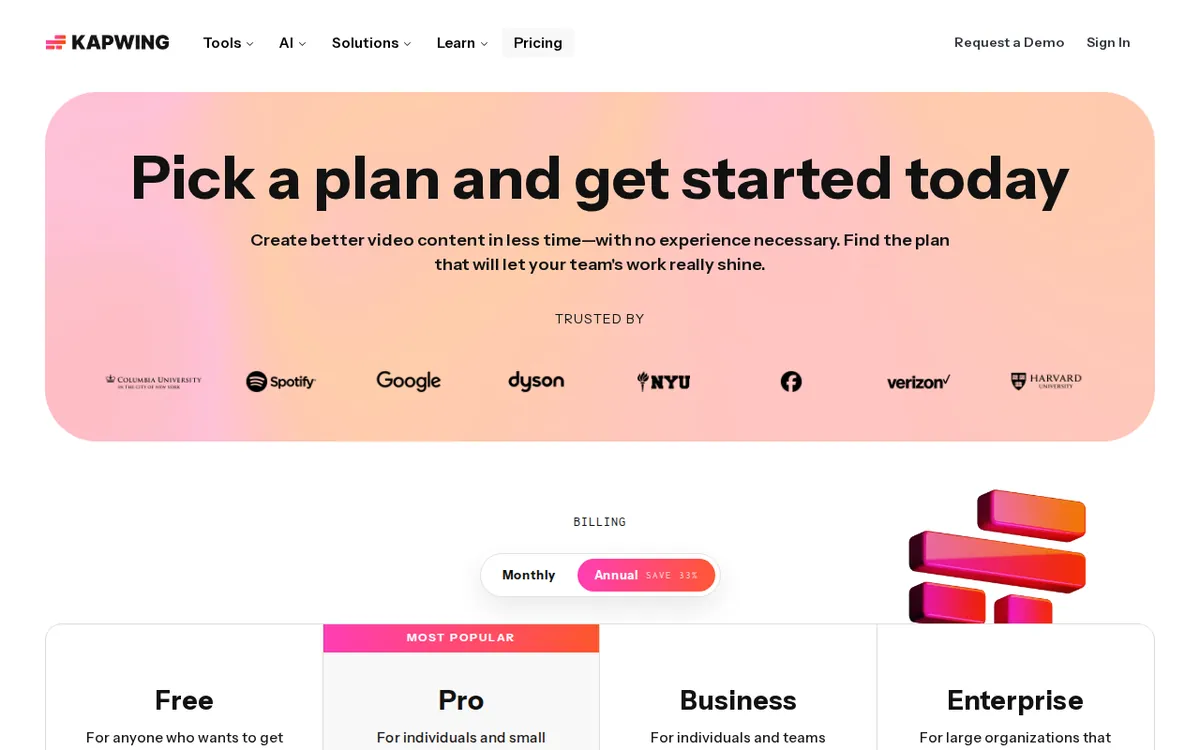
Figure: kapwing.com official pricing page, captured 2026-11-17.
The paid plans: Pro and Business
Kapwing sells two paid tiers. There is no middle tier between them.
Pro: US$24 a month on monthly billing, or US$16 a month on annual billing.
Pro removes the watermark and lifts the length limit. It raises export quality to a maximum of 4K. It gives you 1,000 AI credits a month and 100GB of cloud storage, which is the space Kapwing holds your uploads and projects in.
Business: US$64 a month on monthly billing, or US$50 a month on annual billing.
Business includes everything in Pro. On top of that you get:
- 4,000 AI credits a month
- real-time team collaboration, so several people can edit the same project at once
- custom fonts and a brand library, where you store logos, colours and fonts for reuse
- voice cloning, which makes a synthetic copy of a voice
- advanced lip sync, which matches a speaker’s mouth movements to audio
On annual billing, the rates drop to US$16 and US$50 a month respectively. The data we hold gives only these per-month rates for annual billing. It does not give a single yearly charge, so we are not going to guess one. Check the pricing page for what you are billed at checkout and when.
The cheapest upgrade path
Pro is the only sensible first step. Business costs more than double Pro on monthly billing, and what it adds is mostly for teams: shared editing, brand assets, voice and lip-sync tools. A solo creator gets no benefit from team collaboration.
Within Pro, the choice is monthly or annual. Monthly is US$24. The annual rate is US$16 a month. If you are not sure you will keep editing video for a long stretch, start monthly and decide later. You pay more per month but you are not locked into a longer commitment.
One more thing to know. Pro’s headline fixes are the watermark, the length cap and the resolution cap. If those three are your only complaints, you are buying a clean export. The extra credits and storage are a bonus. If AI tools are your main reason to pay, compare the 1,000 monthly credits against how much AI you actually use.
When paying is not worth it
Stay on free if most of these are true:
- You make short clips, well under the length cap.
- 720p is enough for where you post.
- A watermark does not matter, because the video is a draft, a test or for yourself.
- You use AI tools rarely, so 10 credits a month cover you.
- You download finished work instead of keeping it in Kapwing.
Pay for Pro if any of these are true:
- You publish under your own brand or a client’s. The watermark alone settles this.
- You need 4K output.
- You edit long videos.
- You lean on AI features every week.
- You want projects to live in the tool for longer than a month, with 100GB of space.
Skip Business unless you have a team that edits together and cares about brand consistency. The voice cloning and lip-sync features are specialised. Do not buy the tier for them unless you already know you need them.
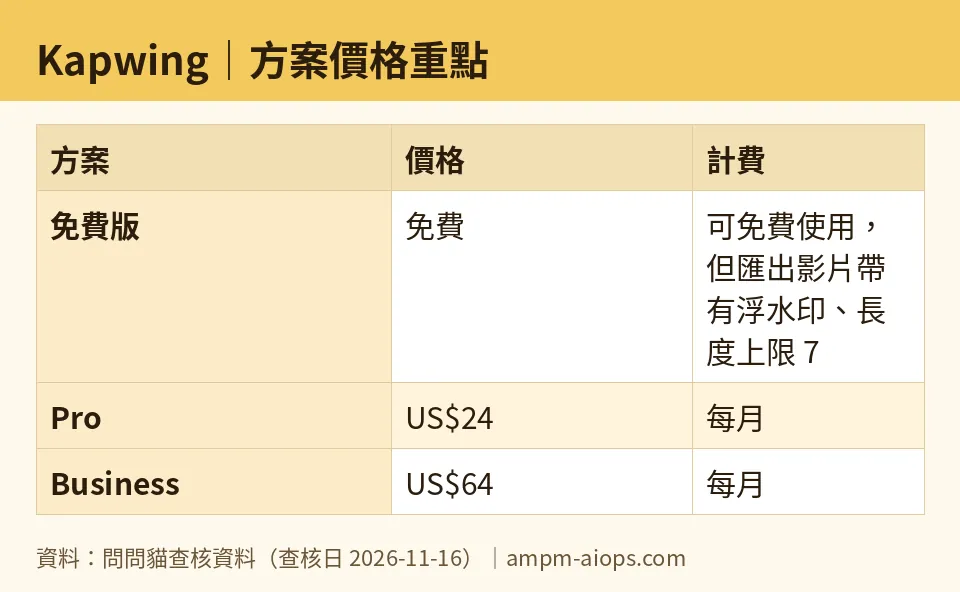
Figure: compiled by AMPM from its verified data (last verified 2026-11-16).
🔍 AMPM exclusive check
Nothing differed from the official page this time. Every number in this article matches Kapwing’s pricing page, checked 2026-11-16.
Two limits on that check are worth stating plainly. First, this tool entered our database recently and its data has had one round of checking. It has not yet been cross-checked by hand against several sources. Second, the pricing page does not say which features fall under the “1 minute or less” cap on the free plan, and we could not confirm that either. If long-form editing is your main use, test your exact workflow on the free plan before you pay.
Free-plan limits and commercial-use terms can change. Treat Kapwing’s pricing page as the final word on the day you sign up.
☀️ AMO, the budget-minded cat

AMO asks two things: is free enough, and is paying worth it?
On free, the answer is yes if you are experimenting. You get 10 AI credits a month, exports up to 720p, videos up to 7 minutes, and projects kept for 30 days. That is enough to learn the editor and finish a short clip. The cost is the watermark on everything you export. If the video is not going public with your name on it, that cost is zero.
On paying, AMO looks at the cheapest door. Pro is US$24 a month billed monthly, or US$16 a month on annual billing. For that you get no watermark, no length cap, 4K export, 1,000 credits a month and 100GB of storage. Compare that with free’s 10 credits: it is a very large jump in AI room for a modest monthly price.
AMO’s rule is simple. Do not pay until the watermark, the length cap or the credit limit costs you something real. A missed client deadline or a clip you cannot publish counts. A vague feeling that you should upgrade does not. When it does cost you, start with monthly Pro at US$24 and see if you use it. If you are still editing video a few months later, the US$16 annual rate is the better deal per month.
Business at US$64 a month, or US$50 a month annually, is not for a budget-minded solo creator. Pay for it only if teammates need to edit together.
Verdict: who should use it, who should skip it
Use the free plan if you make short, casual clips, you do not mind a watermark, and you want to try Kapwing’s captions and AI tools before spending anything.
Move to Pro if you publish under a brand, need a clean export, edit long videos, or use AI tools often. It is the cheapest and most logical upgrade: US$24 a month, or US$16 a month on annual billing.
Consider Business if you work in a team that edits together and needs shared brand assets. It costs US$64 a month, or US$50 a month on annual billing.
Skip Kapwing’s paid plans if your only complaint is a single limit you can work around. Most free-plan problems come down to the watermark. If that is not a problem for you, free does the job.
Written: 2026-11-17 Price last verified: 2026-11-16 Tool last health-checked: 2026-11-16
🔗 Related on AMPM
📎 Sources
All prices and quotas in this article come from AMPM’s verified dataset for Kapwing (last verified 2026-11-16); primary sources:
🐾 Meet the cats: AMO and PIMI
AMPM is a Taiwan-based AI-tool pricing watchdog. Our motto: ask before you subscribe. Two cats argue every tool from two sides:
- ☀️ AMO — the budget-minded cat. Always asks: is the free tier enough, and is paying actually worth it?
- 🌙 PIMI — the performance-minded cat. Cares about whether it works well, fast, and gets your job done.
When they are done arguing, you know whether to pay. Every number is checked by us, with the verification date at the end.
🐾 Our sister sites also checked
Read next
- Kapwing Full breakdown: pricing, features and real-world limits
- Kapwing Is the free quota enough?
- Kapwing Alternatives
- Free plan limits for every AI tool we track
