[Pricing] Flixier Free Plan in 2026: Which Paid Tier Removes the Real Bottleneck?
- Free tier: Yes
- Cheapest paid plan: US$19/mo and up
- Free quota: Monthly 10‑minute video export limit, 5‑minute automatic subtitles, …
- Last checked: 2026-11-19
Article last updated: 2026-11-17



Flixier is a video editor that runs in your browser. You install nothing, and the rendering happens on their servers. It also adds captions automatically with AI. The free plan is real, but it is built to be outgrown. My angle here is simple: the question is not “which plan is best.” It is “which limit will you hit first, and which plan actually removes it?”
Prices vary by country, and AMPM checked from Taiwan. All figures below are in US$ and were last verified on 2026-11-16.
What the free plan lets you do
Flixier’s free plan is free, with no card step mentioned in our data. Here is what you get each month:
- 10 minutes of video export
- 5 minutes of automatic captions
- 500 AI credits (the points you spend each time you use an AI feature)
- Exports up to 720p
- 2GB of cloud storage
- A Flixier watermark on every video
Read that list as a test drive. Ten minutes of export is one decent YouTube video, or a handful of short clips. Five minutes of captions covers even less. The watermark is the bigger issue. If the video goes to a client, a brand channel or anywhere you want to look professional, the free version is out.
It is still fine for three things. You can learn the editor. You can make a rough cut to show someone. You can post a casual clip where a logo in the corner does not matter.
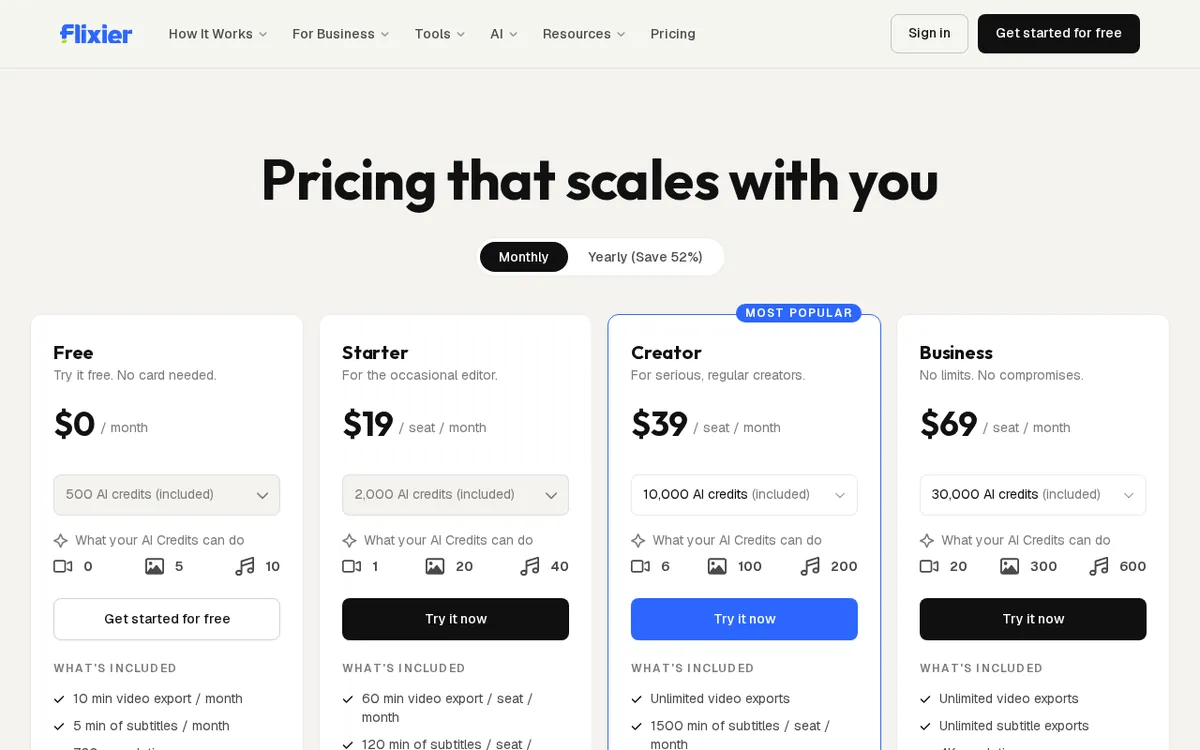
Figure: flixier.com official pricing page, captured 2026-11-17.
The three paid plans, side by side
All three plans are billed monthly and priced per seat. A seat is one user. Two people editing means two seats.
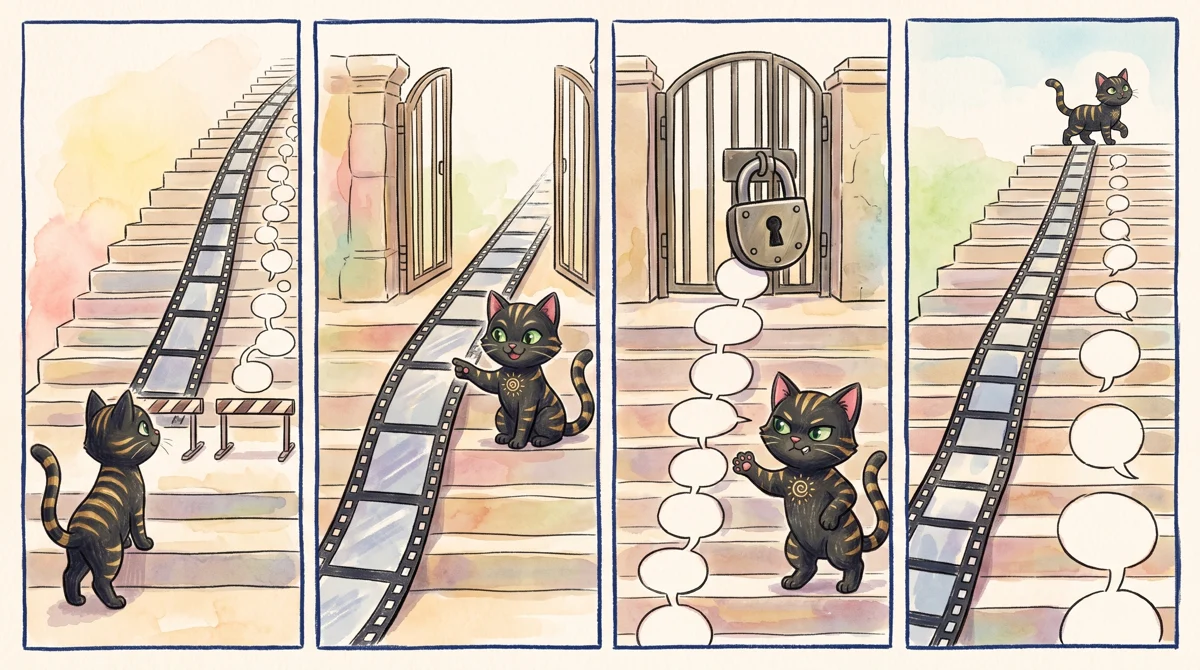
Illustration: Unlimited video exports open up early, but you will hit a roadblock with subtitles unless you upgrade to the highest tier.
| Starter | Creator | Business | |
|---|---|---|---|
| Price | US$19 per seat, per month | US$39 per seat, per month | US$69 per seat, per month |
| Export | 60 minutes a month | Unlimited | Unlimited |
| Captions | 120 minutes | Not stated in our data | Unlimited |
| AI credits | 2,000 | 10,000 | 30,000 |
| Max quality | 1080p | 4K (2160p) | Not stated in our data |
| Storage | 20GB | 250GB | Unlimited |
| Watermark | None | Not listed | Not listed |
| Extras | Edit-by-transcript, brand kit | Dedicated customer support |
Some of those gaps need a plain explanation.
Starter, US$19. This is the cheapest upgrade path. Export goes from 10 minutes to 60. Captions go from 5 minutes to 120. Quality rises to 1080p, storage to 20GB, and the watermark goes away. For most solo creators, those are the five things that made the free plan frustrating. If you publish a few videos a month, this plan covers it.
Creator, US$39. Here the export cap disappears. You also get 4K, 10,000 AI credits and 250GB of storage. Two features arrive that the lower tiers lack. Edit-by-transcript lets you cut video by editing the written text of what was said, like trimming a document. A brand kit stores your logos, fonts and colours so each video looks consistent. Pay for this tier if the 60-minute export cap is genuinely binding, or if you want those two tools.
Business, US$69. The headline change is unlimited captions, on top of unlimited export and storage. AI credits go up to 30,000, and you get dedicated customer support. This is the only tier where captions have no ceiling. If you caption long webinars, podcasts or lecture recordings every week, this is where the cost makes sense.
The cheapest way up, and when to stop
The sensible path is free, then Starter, and only then a harder look at the rest. The jump from free to Starter fixes the most visible problems at once: the watermark, the 720p cap and the tiny export allowance. Nothing else in the lineup changes your daily experience as much for as little.
Creator is a different kind of upgrade. It matters if you export a lot, work in 4K, or want transcript editing and brand tools. Skip it if your videos are short and go out in 1080p.
Business is for caption-heavy work or teams that want a support contact. Skip it if you only caption the odd clip. Starter’s 120 minutes of captions is already a large step up from the free 5.
One point on billing. Our data lists monthly prices only. It has no yearly price for any plan, so we cannot say whether an annual discount exists. Check the pricing page before you commit. Because the plans are per seat, a team’s cost scales with headcount, and each person needs their own seat.
When is paying not worth it? Three cases stand out:
- You edit a few short clips a month and can live with a watermark.
- You only need a quick trim, and a free tool does the job elsewhere.
- You export under 10 minutes a month and never post publicly.
In those cases, stay free. In the opposite case, where you export an hour a month and the watermark embarrasses you, Starter pays for itself in sanity.
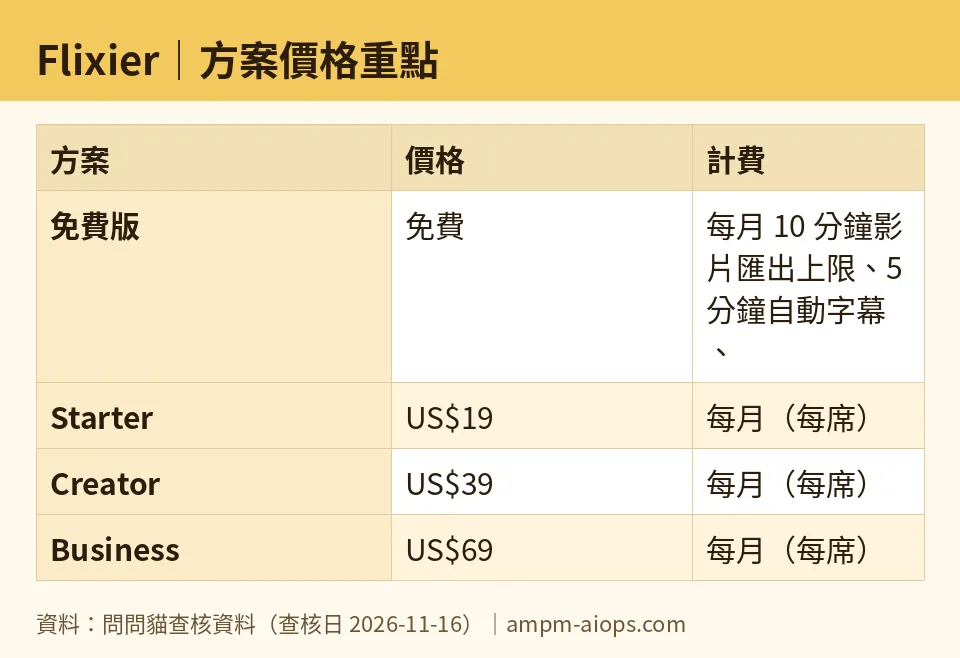
Figure: compiled by AMPM from its verified data (last verified 2026-11-16).
🔍 AMPM exclusive check
We re-read Flixier’s pricing page daily from 2026-11-10 through 2026-11-16. Every price and quota in this article matched the official page on each check. Nothing differed from the official page this time.
What we can tell you is where our data goes quiet:
- Creator’s caption allowance. Our data lists unlimited export for Creator but gives no caption figure. Only Business is described as having unlimited captions. Do not assume Creator matches it. Check before buying if captions are your main use.
- Business quality and watermark. Neither is stated for Business, though it sits above Creator. We did not confirm it.
- Yearly pricing. None in our data.
- Commercial-use terms. We did not verify them. The data comes from a single review round and has not yet been cross-checked by hand. Confirm free-tier limits and commercial terms on the official page.
☀️ AMO, the budget-minded cat

AMO asks two things: is free enough, and is paying worth it?
Free is enough if you make one short video now and then. Ten minutes of export a month is not nothing. With 500 AI credits and 5 minutes of captions, you can try the AI tools. The costs are 720p quality, 2GB of storage and a watermark. If the video is for friends, a class or a personal test, none of that matters. AMO says: stay free, and spend nothing.
Paying becomes worth it the moment the watermark costs you something. For US$19 a month on Starter, you get 60 minutes of export, 120 minutes of captions, 1080p, 20GB and a clean video. That is the plan AMO would pick, because it fixes the real complaints without paying for features you may never touch.
Creator at US$39 is double the price of Starter, so AMO wants a specific reason: unlimited export, 4K, or transcript editing. Without one, it is a pass. Business at US$69 is only for people who caption constantly. AMO’s rule is to upgrade one step at a time, and only when a limit actually stops you. Since billing is monthly, you can move up when you need to and drop back when the busy season ends. Confirm that cancellation works that way on the pricing page.
Verdict: who should use it, who should skip it
Use the free plan if you are learning, testing or posting casual clips and can accept a watermark and 720p.
Pay for Starter if you publish regularly, need clean 1080p video, and export up to an hour a month. For most solo creators, this is the only paid plan worth weighing.
Pay for Creator if you need unlimited export, 4K, transcript editing or a brand kit. Check the caption allowance first.
Pay for Business if captions are central to your work and you want a support contact. It is the only tier with unlimited captions.
Skip Flixier’s paid plans if you rarely edit, or if per-seat billing across a team would add up faster than your output justifies. Run the free plan until a limit actually blocks you.
Written: 2026-11-17 Price last verified: 2026-11-16 Tool last health-checked: 2026-11-17
🔗 Related on AMPM
📎 Sources
All prices and quotas in this article come from AMPM’s verified dataset for Flixier (last verified 2026-11-16); primary sources:
🐾 Meet the cats: AMO and PIMI
AMPM is a Taiwan-based AI-tool pricing watchdog. Our motto: ask before you subscribe. Two cats argue every tool from two sides:
- ☀️ AMO — the budget-minded cat. Always asks: is the free tier enough, and is paying actually worth it?
- 🌙 PIMI — the performance-minded cat. Cares about whether it works well, fast, and gets your job done.
When they are done arguing, you know whether to pay. Every number is checked by us, with the verification date at the end.
🐾 Our sister sites also checked
Read next
- Flixier Full breakdown: pricing, features and real-world limits
- Flixier Is the free quota enough?
- Flixier Alternatives
- Free plan limits for every AI tool we track
