[Pricing] Colossyan Pricing: Why 'Starter' Means Two Different Things
- Free tier: Yes
- Cheapest paid plan: US$27/mo and up
- Free quota: Starter Free Plan: offers basic feature trial, includes 300+ …
- Last checked: 2026-11-19
Article last updated: 2026-11-18



Colossyan makes training videos with AI presenters. You type a script, pick a digital avatar (a synthetic on-screen person), and the tool produces a video of that person reading it. It is built for companies making staff training, not for social clips.
My angle is simple. The pricing page uses the word “Starter” for two different things, and that is where readers get confused. One Starter is free and puts a watermark on your videos. The other is a paid plan with a monthly minute allowance. This piece sorts out which is which, what each tier gives you, and when paying makes no sense.
Prices vary by country, and these figures are the US$ prices we saw.
The free Starter: a trial, not a workflow
Colossyan has a free tier. It gives you basic features to try the product and access to 300+ digital avatars. Videos you export carry a watermark.
That is all the data says. The official page does not give us a minute or video count for the free tier. So we can’t tell you how many videos you can make before it stops you. If you need that number, check the pricing page yourself before you build a plan around it.
What the free tier is good for is clear enough. You can test whether the avatars look right for your audience. You can see how the editor feels. You can find out if your scripts read well when a synthetic person says them.
What it is not good for is anything you hand to a client, a customer or your whole company. A watermark on a training video looks unfinished. For internal drafts it may be fine. For anything that goes out the door, it is not.
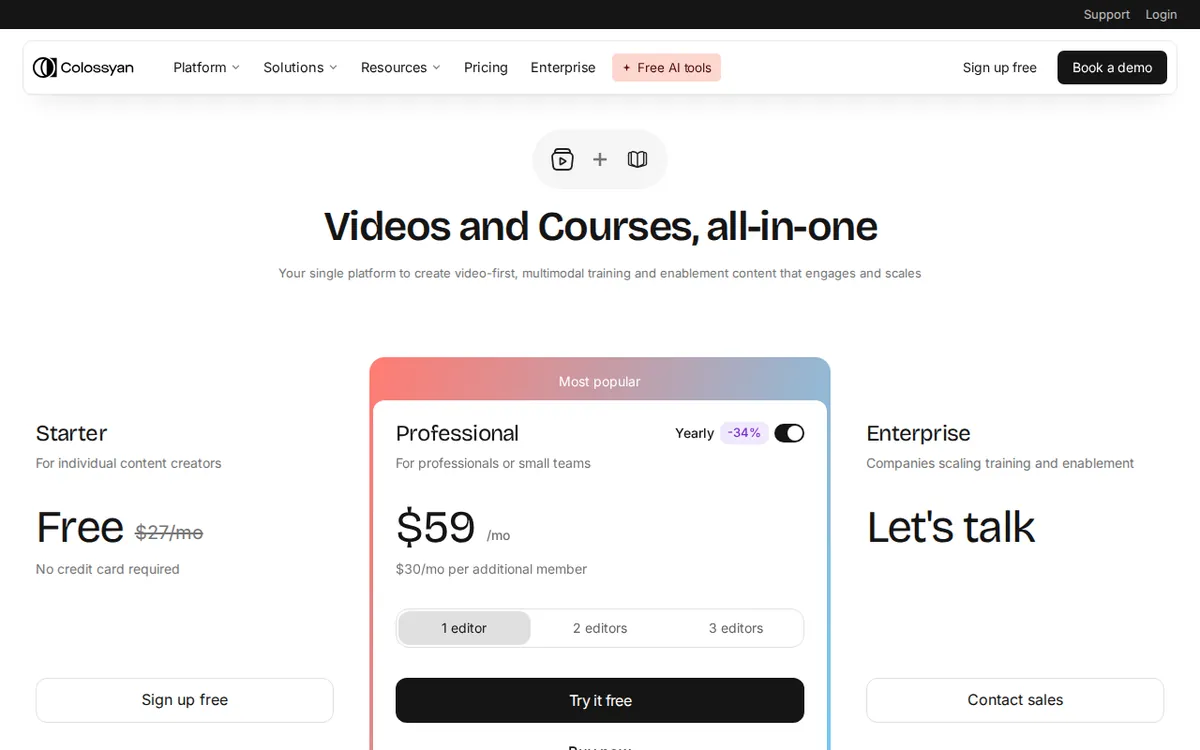
Figure: colossyan.com official pricing page, captured 2026-11-18.
The paid plans: two steps up
There are two paid plans in the data. Here is each one.
Starter (listed as “Legacy / Entry”)
- Monthly billing: US$27 per month
- Annual billing: US$19 per month
- Included: 15 minutes of video generation each month
“Video generation” means the minutes of finished video the tool will render for you. Fifteen minutes is the monthly cap. It is not a per-video limit. Ten 90-second videos would use it up.
The “Legacy / Entry” label matters. It suggests this plan is an older or entry-level tier, not the one Colossyan is pushing. We can’t say whether it will stay on the page. That is a reason to avoid long commitments on it.
One more gap. The data does not say whether this paid Starter removes the watermark. It only says Professional does. Don’t assume Starter is watermark-free until you’ve confirmed it on the page.
Professional
- Monthly billing: US$88 per month
- Annual billing: US$59 per month on average, with a total annual charge of US$708
- Included: 30 minutes of NEO and 10 minutes of NEO2 compute each month
- Watermark removal
- SCORM course export
Two terms need unpacking. NEO and NEO2 are the names the page gives to its video generation compute, meaning the processing power spent rendering your video. The data lists them as two separate pools, 30 minutes and 10 minutes. We have not tested what differs between them, so we won’t guess.
SCORM is a standard file format. It lets a training course run inside a company’s learning management system, the software HR teams use to assign courses and track who finished them. If your company uses one, SCORM export is the feature that matters here. If it doesn’t, it is of little use to you.
Monthly vs. annual
Annual billing is cheaper per month on both plans. Starter drops from US$27 to US$19 a month. Professional drops from US$88 to US$59 a month on average.
For Professional, the data gives a yearly total: US$708. For Starter, it gives no yearly total. So we won’t state one. If you want the Starter annual number, read it off the checkout page.
The trade-off is plain. Annual costs less each month but ties up more cash, and you are committed. For a tool where we have only checked the page, not tested refunds or cancellation terms, start monthly. Move to annual once you know you’ll use the allowance every month.
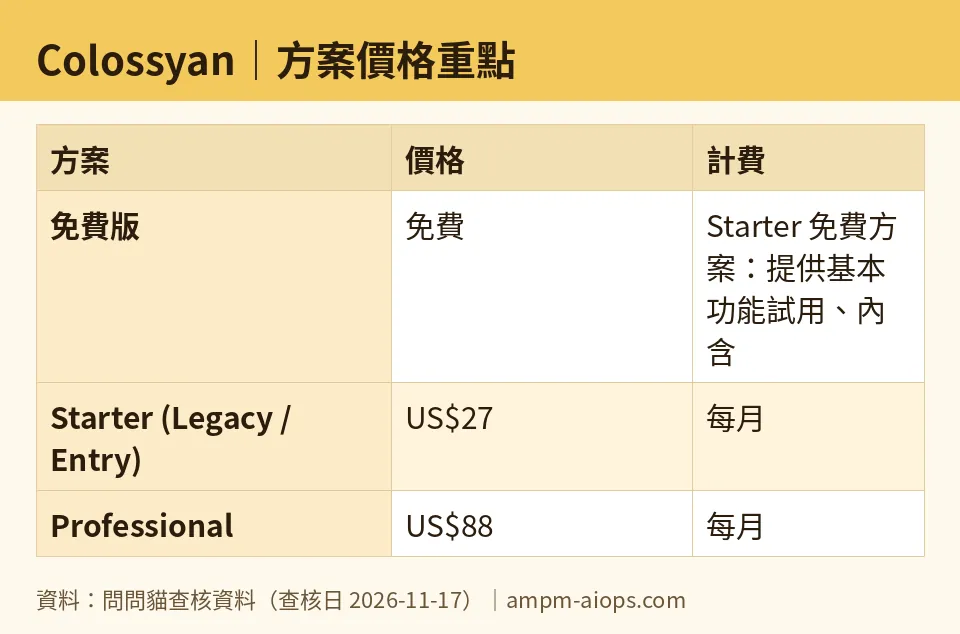
Figure: compiled by AMPM from its verified data (last verified 2026-11-17).
The cheapest upgrade path
The route is short.
- Start free. Make a test video. Judge the avatars and the editor.
- If you need real output and 15 minutes a month covers you, the paid Starter is the cheapest way in. Confirm watermark status first.
- If you need SCORM export, a confirmed watermark-free video, or more minutes, go to Professional.
The jump between the two paid plans is large. Monthly, Professional is US$88 against US$27. You should have a specific reason, such as SCORM or the larger compute allowance, before you make it.
🔍 AMPM exclusive check
Here is what we can and can’t say from our own check.
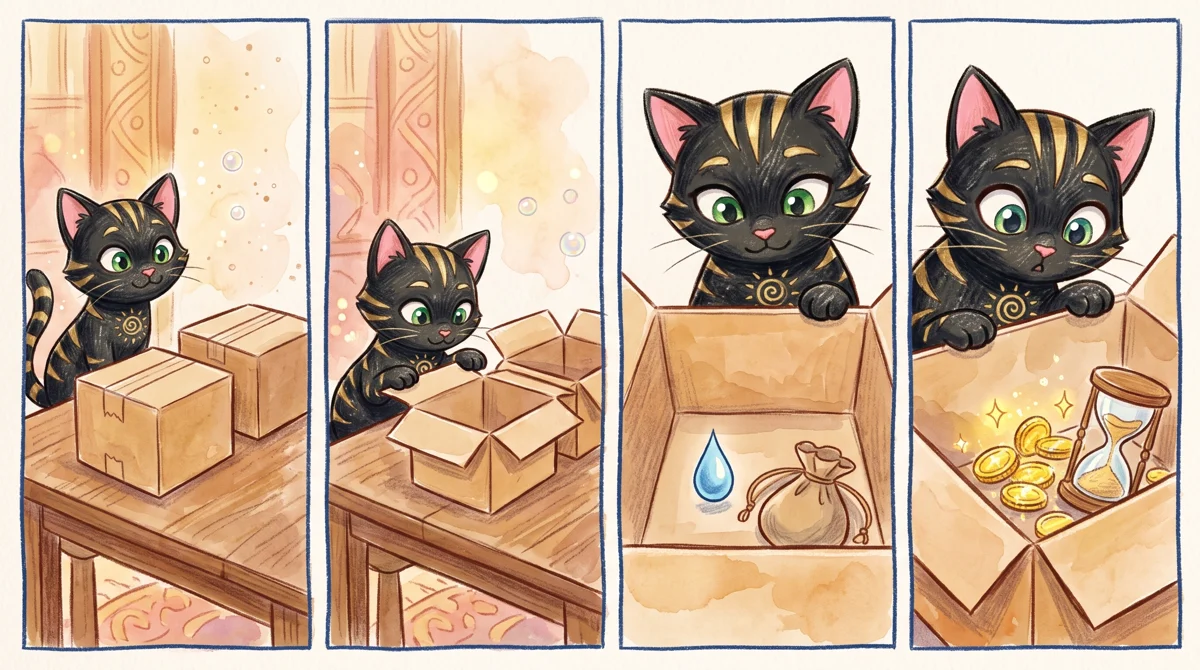
Illustration: Two identical boxes hold different deals, one is free but leaves a mark, the other requires coins and has a strict sandglass limit.
The numbers on this page were read from Colossyan’s official pricing page and rechecked daily from 2026-11-14 to 2026-11-17. Each time, the prices and quotas matched. Nothing changed during that stretch.
But this is a thin check. The tool entered our list as a new candidate. We have read its data in one pass and have not yet cross-checked it by hand against several sources. Two things follow:
- The free tier has no stated minute or video limit in our data. We won’t invent one.
- Commercial-use terms for each plan are not confirmed. If you plan to publish the videos outside your company, read the terms on the official site.
The “two Starters” point is our reading of the page, not a vendor statement. The free plan and the paid entry plan share a name in our data. Make sure you know which one you are looking at before you sign up.
☀️ AMO, the budget-minded cat

AMO’s question is the one most readers have: is free enough, and is paying worth it?
Free is enough if you are testing. You get 300+ avatars and the basic features, with a watermark on the output. That works for a proof of concept, a pitch to your manager, or a draft you will redo. It does not work for a finished course.
Paying becomes worth it when you have a real, repeating need. The cheapest step is the paid Starter at US$27 a month, or US$19 a month on annual billing. You get 15 minutes of generated video each month. Be honest about your volume. Fifteen minutes is about ten two-minute… actually, let me put it plainly: it is 15 minutes total. If your training modules run a few minutes each, you can make a handful per month. That is fine for a small team updating one course. It is tight for anyone building a library.
Professional at US$88 monthly, or US$59 a month on average billed annually at US$708, is a different level of spend. Pay for it only if SCORM export or watermark removal is a hard requirement. If you don’t have a learning management system and don’t need to publish publicly, you are paying for features you won’t use.
AMO’s rule: stay free until the watermark costs you something real. Then pay monthly for one month, and see if you use the minutes.
Verdict: who should use it, who should skip it
Use it if:
- You make training or onboarding videos and want presenters without filming anyone.
- Your company runs a learning management system and you need SCORM export. That points to Professional.
- Your volume is small and steady, so a monthly minute allowance fits. That points to paid Starter.
Skip it if:
- You need a lot of video. A cap of 15 minutes a month on the entry plan will run out quickly.
- You want to publish watermark-free and can’t confirm Starter allows it. Check first or budget for Professional.
- You only need a one-off video. The free tier’s watermark is the price of free, and a monthly plan for a single video is poor value.
- You want legal certainty on commercial use today. Our data doesn’t cover it.
Start with the free tier, find out whether the watermark matters to you, and only then pick a paid plan.
Written: 2026-11-18 Price last verified: 2026-11-17 Tool last health-checked: 2026-11-18
🔗 Related on AMPM
📎 Sources
All prices and quotas in this article come from AMPM’s verified dataset for Colossyan (last verified 2026-11-17); primary sources:
🐾 Meet the cats: AMO and PIMI
AMPM is a Taiwan-based AI-tool pricing watchdog. Our motto: ask before you subscribe. Two cats argue every tool from two sides:
- ☀️ AMO — the budget-minded cat. Always asks: is the free tier enough, and is paying actually worth it?
- 🌙 PIMI — the performance-minded cat. Cares about whether it works well, fast, and gets your job done.
When they are done arguing, you know whether to pay. Every number is checked by us, with the verification date at the end.
🐾 Our sister sites also checked
Read next
- Colossyan Full breakdown: pricing, features and real-world limits
- Colossyan Is the free quota enough?
- Colossyan Alternatives
- Free plan limits for every AI tool we track
