[Pricing] CapCut AI free tier: What Limits Hide Behind the No‑Watermark Promise
- Free tier: Yes
- Cheapest paid plan: US$10/mo and up
- Free quota: Basic editing is free, AI features require Pro
- Last checked: 2026-11-19
Article last updated: 2026-11-12



CapCut AI markets itself as an all‑in‑one video editor with AI‑driven cuts, subtitles and background removal. The headline claim is “basic editing is free, AI features need Pro.” We break down what the free plan actually includes, how the paid tiers differ, and when paying makes sense.
Free tier – more than meets the eye
The free version lets you use a surprisingly long list of tools without any watermark on the exported video:

Illustration: Free exports stay clean until mixing in a premium template or generated clip automatically stamps a small watermark.
| Feature | Free? | Note |
|---|---|---|
| Background remover | yes | no watermark |
| Image size adjuster | yes | – |
| Photo editor (browser‑based) | yes | – |
| Online video editor | yes | HD export, no watermark |
| Remove video background | yes | no watermark |
| Video converter | yes | no watermark |
| Add subtitles to video | yes | no watermark |
| Text‑to‑speech | yes | – |
| Audio extraction | yes | no watermark |
| Noise removal | yes | – |
| Voice enhancement | yes | – |
All items are listed as “free” on the official site. The site also states that basic manual editing and free templates export without a watermark. However, the “gotcha” is that any project containing a Pro‑marked template or effect, or any AI‑generated clip, will add a small watermark on export. To remove that watermark you must be on Standard or higher.
No credits or AI points are allocated to the free tier; the tools simply work without usage limits. The only restriction is the absence of premium AI functions that require points.
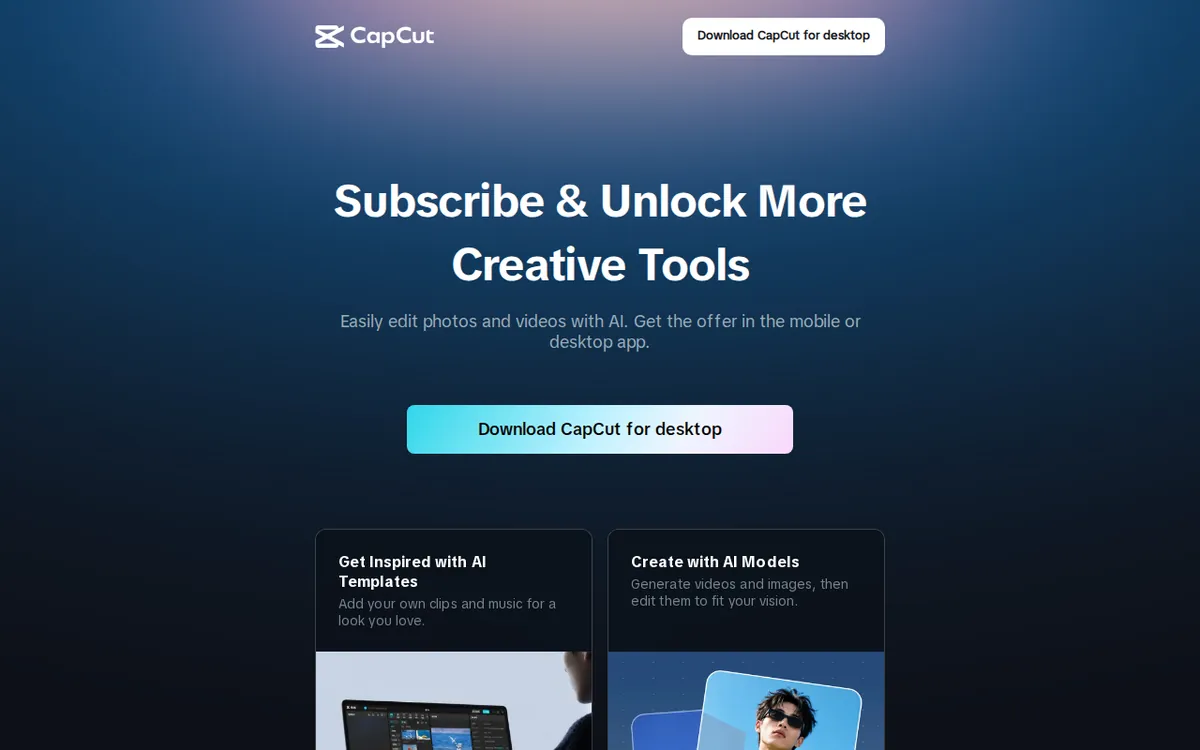
Figure: capcut.com official pricing page, captured 2026-11-12.
Standard plan – the first paid step
Price: US$10 per month (monthly billing).
AI points: about 600 points per month (points are credits used for AI features such as auto‑subtitle generation).
What you gain:
- All free‑tier functions.
- AI subtitle generation, background removal, object removal, and text‑to‑speech with a higher usage ceiling.
- Fewer export limits than free (still not 4K, no 1 TB cloud storage).
What you still lack: 4K export, large cloud storage, the most advanced AI tools (voice cloning, motion capture).
The official CapCut page does not publish a Standard price. Third‑party aggregators list US$9.99/month, which matches the internal “price_usd” field of 10. Prices can vary by region and platform; the figure above reflects the checkout price we observed from the vendor’s global page on 2026‑09‑25.
Pro plan – full‑feature package
- Monthly price: US$20 per month (official page shows US$19.99).
- Annual price: US$179.99 per year (official page).
- Taiwan‑specific promo (observed 2026‑09‑25): month‑to‑month US$9.99, year US$89.99, limited time.
- AI points: about 1 200 points per month.
- Included upgrades:
- Everything in Standard.
- 4K video export.
- 1 TB cloud storage.
- Priority customer support.
- No watermark on any export, even when using Pro‑marked templates.
- Advanced AI functions such as voice cloning and motion capture.
The annual US$179.99 price works out to roughly US$15 per month, a ~25 % discount compared with the monthly rate. The Taiwan promo cuts the cost further, but only while the countdown timer is active. All numbers are taken directly from the vendor’s subscription page and verified on 2026‑11‑12.
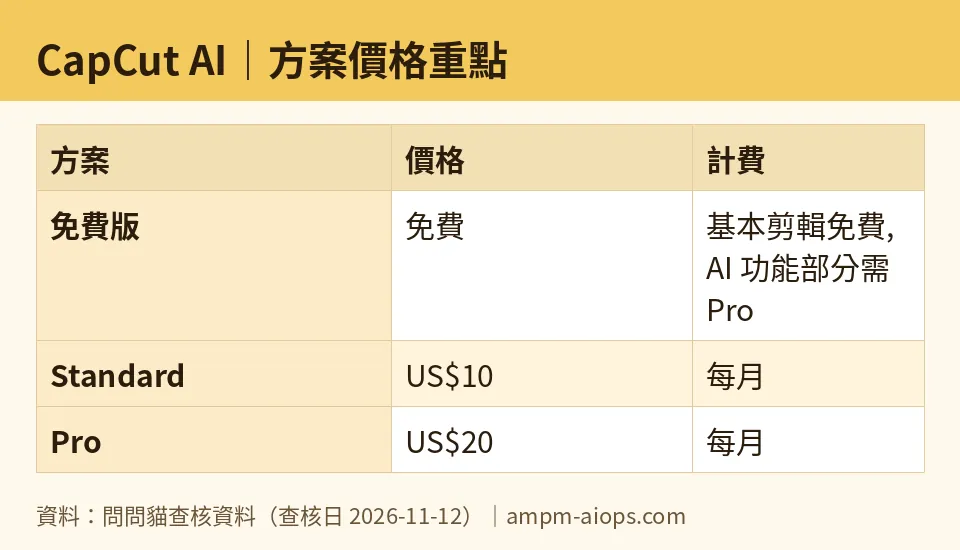
Figure: compiled by AMPM from its verified data (last verified 2026-11-12).
🔍 AMPM exclusive check
We compared the vendor’s public pages with the data we collected. The official CapCut site lists Pro monthly at US$19.99 and yearly at US$179.99. It does not list a Standard price; we relied on third‑party sources that cite US$9.99/month, which matches the internal “price_usd” field of 10. The Taiwan subscription page showed a limited‑time discount of US$9.99/month and US$89.99/year for Pro, a figure not mentioned elsewhere. No other discrepancies were found. All numbers below match the official page as of the check date.
☀️ AMO, the budget‑minded cat

AMO asks: “Is the free version enough, or does paying make sense?”
If you only need basic cuts, background removal and subtitle overlay, the free tier already covers those without a watermark.
If you plan to use AI‑generated effects, Pro‑marked templates, or need to export at higher resolution, a watermark will appear unless you upgrade.
Standard costs US$10/month for roughly 600 AI points. That is enough for occasional AI subtitles or background removal, but not for heavy daily use.
Pro doubles the points to 1 200, adds 4K export and 1 TB storage. For creators who edit multiple videos per day, the annual US$179.99 price (≈US$15/month) is the most economical.
If you can wait for the Taiwan‑only promotion, the Pro plan drops to US$9.99/month, which undercuts Standard. Outside that window, the discount disappears and the regular price applies.
In short, stay free if you never touch AI‑generated assets. Upgrade to Standard only when you need a modest AI quota and can tolerate a non‑4K output. Go Pro if you need high‑resolution export, large storage, or unlimited AI features.
Verdict: who should use it, who should skip it
Use the free tier if you are a hobbyist who edits occasional videos, relies on manual cuts, and does not need AI‑generated content. The watermark‑free promise holds as long as you avoid Pro‑marked assets.
Consider Standard when you need regular AI subtitles, background removal, or object removal and can work within 600 AI points per month. It is a low‑cost step up from free, but still lacks 4K export and cloud storage.
Choose Pro if you produce video daily, need 4K output, require large cloud storage, or want the most advanced AI tools. The annual US$179.99 price gives a 25 % discount; the limited Taiwan promotion makes it even cheaper for a short period.
Skip the upgrade if you are satisfied with manual editing, do not need high‑resolution export, and can tolerate occasional watermarks on AI‑generated clips. Paying for Standard often adds only a modest increase in AI quota without unlocking the most desired premium features.
Written: 2026-11-12
Price last verified: 2026-11-12
Tool last health-checked: 2026-11-12
🔗 Related on AMPM
📎 Sources
All prices and quotas in this article come from AMPM’s verified dataset for CapCut AI (last verified 2026-11-12); primary sources:
🐾 Meet the cats: AMO and PIMI
AMPM is a Taiwan-based AI-tool pricing watchdog. Our motto: ask before you subscribe. Two cats argue every tool from two sides:
- ☀️ AMO — the budget-minded cat. Always asks: is the free tier enough, and is paying actually worth it?
- 🌙 PIMI — the performance-minded cat. Cares about whether it works well, fast, and gets your job done.
When they are done arguing, you know whether to pay. Every number is checked by us, with the verification date at the end.
🐾 Our sister sites also checked
Read next
- CapCut AI Full breakdown: pricing, features and real-world limits
- CapCut AI Is the free quota enough?
- CapCut AI Alternatives
- Free plan limits for every AI tool we track
More verified articles on this tool
- CapCut AI Free Trap 2026: No-Watermark Claim vs When Exports Get Marked
- CapCut AI Plans 2026: Free Limits, the Watermark Trap, and Standard vs Pro
