[Pricing] Brevo Free Plan or Starter? The Logo Fee That Changes the Math
- Free tier: Yes
- Cheapest paid plan: US$9/mo and up
- Free quota: Daily limit of 300 emails, contact list limit up to 100,000 entries, …
- Last checked: 2026-11-19
Article last updated: 2026-11-17



Brevo’s cheapest paid plan looks like an easy step up from the free plan. It isn’t, at least not if you care about the Brevo logo at the bottom of your emails. The free plan carries that logo. Starter, the first paid plan, doesn’t automatically remove it. Removal is a separate paid add-on.
Brevo is an all-in-one email marketing and CRM platform. A CRM is a contact database: names, addresses and what each person did with your messages. Brevo also runs automations, which are emails that send themselves when someone signs up or buys.
This piece goes through the free plan and each paid plan, what the data says, what it leaves out, and when you should stay put.
What the free plan actually gives you
The free plan has four limits worth knowing:
- Up to 300 emails per day.
- A contact list of up to 100,000 people.
- A Brevo logo at the bottom of every email.
- Automation journeys, meaning multi-step email sequences, capped at 2,000 contacts.
Two of those stand out.
First, the cap is daily, not monthly. A small newsletter that sends once a week to a short list will never feel it. A shop that wants to blast a 5,000-person list in one go will hit the wall on day one. The data gives no monthly total for the free plan, so we won’t invent one.
Second, the contact ceiling is generous. A list of up to 100,000 contacts is large for a free tool. You can store a big audience and send to it slowly, in daily batches.
The logo is the price of free. Every message you send advertises Brevo. For a hobby project, a club or an internal list, that costs nothing. For a business trying to look polished, it can matter.
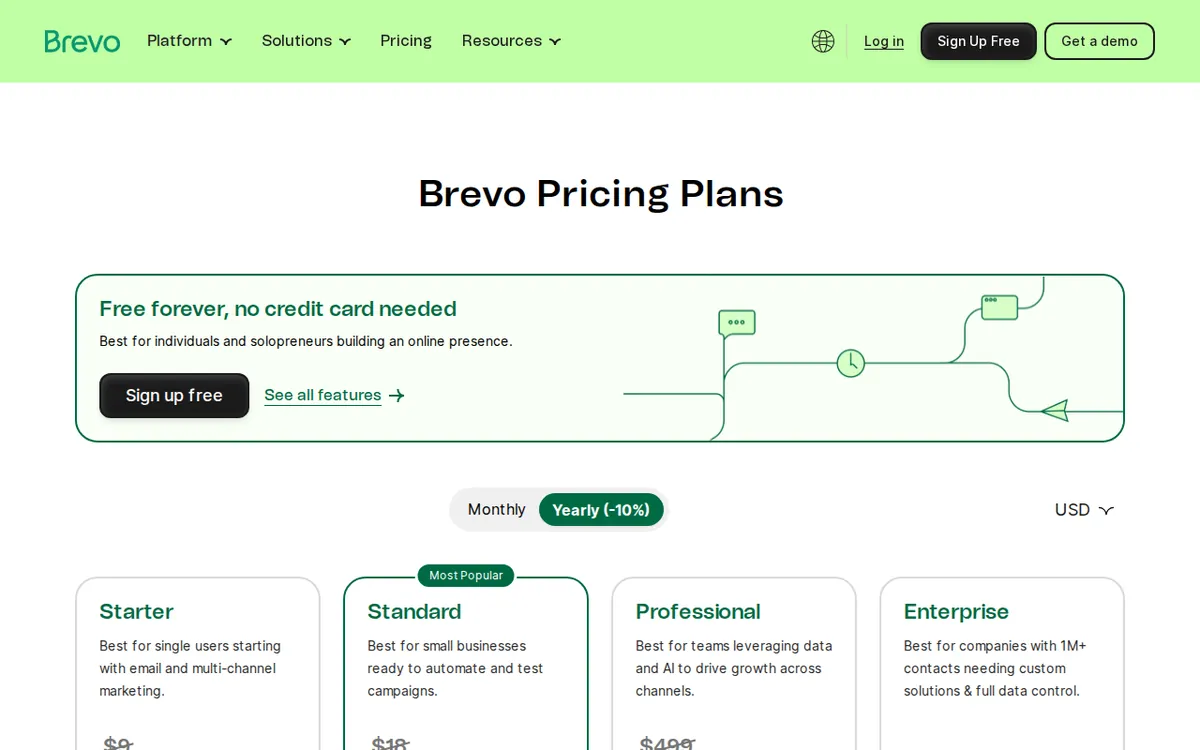
Figure: brevo.com official pricing page, captured 2026-11-17.
The paid plans, one by one
All three paid plans are listed with monthly prices in our data. We found no separate annual price for any of them. If Brevo offers a discount for paying yearly, it isn’t in what we verified, so check the pricing page before you assume one exists.
Starter: US$9 per month. You get a base allowance of 5,000 emails per month and 500 contacts. There is no daily sending limit. Basic reports are included.
Then comes the catch. Removing the Brevo logo is an extra paid add-on at US$12 per month. That add-on costs more than the plan itself.
Also note the contact figure. Starter’s 500 contacts is described as a base allowance. The free plan allows a list of up to 100,000. So if you have a big list, moving to Starter doesn’t obviously let you keep it. Our data doesn’t say what happens when you go past 500 contacts on Starter, or whether you pay more. Read that part of the pricing page before you click upgrade.
What Starter really sells you is the end of the daily cap. You swap 300 per day for a monthly pool of 5,000.
Standard: US$18 per month. The base allowance is again 5,000 emails per month. So Standard isn’t about volume. It’s about features:
- A/B testing, where you send two versions of an email to see which performs better.
- Unlimited marketing automation journeys. The free plan caps these at 2,000 contacts.
- AI send-time prediction, which picks the best moment to deliver to each person.
- A landing page builder, for simple sign-up or offer pages.
- Phone support.
Does Standard remove the Brevo logo? Our data doesn’t say. It lists the features above and nothing about the logo. Don’t assume either way. This is the one question to settle before you pick between Starter plus the add-on and Standard.
Professional: US$499 per month. This is a different kind of plan. The base allowance is 150,000 emails per month, and it includes 10 seats. A seat is one person’s login. You also get custom data summaries, push notifications (short alerts sent to phones or browsers), advanced controls on how often contacts hear from you, and sub-accounts, which let you run separate setups under one roof.
The jump from US$18 to US$499 is steep, and there is nothing between them in the data. If your needs fall in that gap, there is no plan listed to fill it.
The cheapest way up, and when not to pay
The cheapest upgrade path is free to Starter at US$9 per month. It makes sense in one situation: you need to send more than 300 emails in a day, and you can live with the Brevo logo.
If you also want the logo gone, you pay the US$12 monthly add-on on top of Starter. At that point you should price Standard as well, since it’s the next step up at US$18 and adds A/B testing, unlimited automations and phone support. Whether Standard also removes the logo is the open question above.
Paying is not worth it when:
- You send fewer than 300 emails a day. The free plan covers you.
- Your automations stay within 2,000 contacts. The free plan covers that too.
- You don’t mind the logo. Starter alone does nothing about it.
- Your list is large. The free plan’s 100,000-contact ceiling beats Starter’s 500-contact base allowance on paper.
- You don’t use A/B testing, landing pages or phone support. Standard’s extras would sit unused.
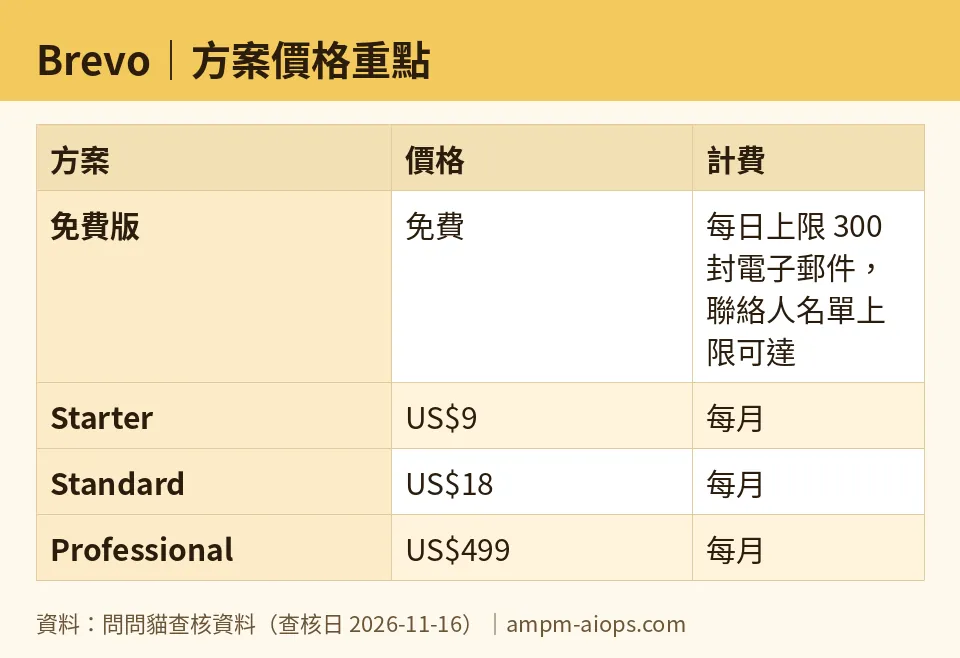
Figure: compiled by AMPM from its verified data (last verified 2026-11-16).
🔍 AMPM exclusive check
Here is what we verified and what we couldn’t.
We re-read the pricing page on each day from 2026-11-11 to 2026-11-16, and the prices and quotas in this article matched the official page every time. Nothing changed during that window. Prices vary by country, and we checked from Taiwan.
What the page doesn’t spell out, and what we couldn’t close:
- The logo add-on. The US$12 per month fee for removing the Brevo logo is attached to the Starter plan. A reader skimming “US$9” would miss it.
- Standard and the logo. Our data doesn’t say whether Standard includes logo removal.
- Annual pricing. We found no yearly price for any plan.
- Contact limits above the base. We don’t know what Starter costs once your list passes 500, or what Standard’s contact allowance is.
One honest caveat: this tool has had one round of checking, not the full three-way cross-check we use for older entries. Treat the numbers as accurate for the dates above and confirm free-tier and commercial-use terms on Brevo’s page before you commit.
☀️ AMO, the budget-minded cat

Is free enough? For plenty of people, yes. Brevo’s free plan allows 300 emails a day and a list of up to 100,000 contacts. That is a lot of room for a small newsletter, a side project or a local group. Automations run up to 2,000 contacts. The only visible cost is the Brevo logo in the footer.
Is paying worth it? Only if one of three things is true.
One: you need to send more than 300 emails in a day. Starter at US$9 a month removes the daily cap and gives a base allowance of 5,000 emails per month.
Two: you need the features. Standard at US$18 a month adds A/B testing, unlimited automations, send-time prediction, landing pages and phone support. If you’d use two or three of those, it can earn its keep. If you’d use none, you’re paying for decoration.
Three: you hate the logo. Then Starter’s US$9 is only the first bill, because the removal add-on is US$12 a month on its own. I’d look at Standard before paying for that add-on, but only after confirming whether Standard drops the logo, because the data doesn’t say.
Professional at US$499 a month is for a team with 150,000 emails a month and 10 logins. A budget cat walks past that shelf.
My rule: stay free until the 300-a-day cap actually blocks you. Then pay.
Verdict: who should use it, who should skip it
Use the free plan if you send small, regular batches, your list is large but quiet, or you can live with the Brevo logo. It’s the best-value part of this lineup.
Pay for Starter (US$9 per month) if the daily cap of 300 is getting in your way and you don’t care about the logo. Check what happens to your contact count first, since the base allowance is 500.
Pay for Standard (US$18 per month) if you want A/B testing, unlimited automations, landing pages or phone support. Confirm the logo question before you buy.
Look at Professional (US$499 per month) if you’re a team that needs 10 seats, sub-accounts and 150,000 emails a month. Most readers won’t.
Skip paying altogether if you send under the daily cap and the logo doesn’t bother your audience. Upgrading just to feel more “serious” buys you little here.
Written: 2026-11-17 Price last verified: 2026-11-16 Tool last health-checked: 2026-11-17
🔗 Related on AMPM
📎 Sources
All prices and quotas in this article come from AMPM’s verified dataset for Brevo (last verified 2026-11-16); primary sources:
🐾 Meet the cats: AMO and PIMI
AMPM is a Taiwan-based AI-tool pricing watchdog. Our motto: ask before you subscribe. Two cats argue every tool from two sides:
- ☀️ AMO — the budget-minded cat. Always asks: is the free tier enough, and is paying actually worth it?
- 🌙 PIMI — the performance-minded cat. Cares about whether it works well, fast, and gets your job done.
When they are done arguing, you know whether to pay. Every number is checked by us, with the verification date at the end.
🐾 Our sister sites also checked
Read next
- Brevo Full breakdown: pricing, features and real-world limits
- Brevo Is the free quota enough?
- Brevo Alternatives
- Free plan limits for every AI tool we track
